Trustpilot
4.6/5
(3,095)
G2 Rating
4.5/5
(Leader 2026)
The #1 Smart Alternative to Foxit PDF Editor
Save up to 60% vs. Foxit Subscription
Perpetual License Available
Lighter, Faster & Seamless Cross-Platform
No Credit Card Required
•
100% Clean & Secure Download

1-Min Switch: 100% Foxit Compatible & Zero Learning Curve
Trusted by 2M+ Daily Active Users Worldwide


Overpriced Foxit Subscription? Switch to PDFelement
Join 2M+ professionals switching to a faster, AI-powered PDF editor—at a fraction of the cost.
| Core Differences |
RECOMMENDED
PDFelement
✨
|
Foxit PDF Editor |
|---|---|---|
| Pricing & Cost |

~$79.99/yr
Save 50%+
Perpetual License Available (Buy Once, Own Forever) |

~$159.99/yr – Expensive annual subscriptions with steep renewal costs
|
| UI & Ease of Use |
Intuitive, Ribbon-style UI with 0 learning curve
|
Feature-heavy, complex navigation for basic edits
|
| AI Capabilities |
Integrated AI Assistant (Summarize, Rewrite & Translate)
|
Limited AI tools sold separately or behind higher tiers
|
| Performance & Speed |
Lightweight, instant launch & fast OCR processing
|
Resource-heavy, noticeable lag on large PDF files
|
| Cross-Platform Freedom |
Consistent experience across Win, Mac, iOS & Android
|
Feature set varies significantly between desktop & mobile
|
Do More With Your PDFs Easily
100% Compatible with all Foxit PDF documents, annotations, and forms.
Edit PDF like Word.
 Edit Text Seamlessly – Add or modify text, adjust sizes,
colors, and fonts without affecting the layout.
 AI Edit PDF Images – Add, replace, or adjust images
in PDFs instantly with one-click AI tools.
 Customize Your PDFs –Easily insert links,
watermarks, shapes, audio, videos, Bates numbers, and more.


Convert files to and from
PDF format in high quality.
 Versatile Formats – Convert PDFs to Word,
Excel, PNG, JPG, and more — or back to PDF.
 Batch Conversion – Convert multiple files at once
to save time and boost efficiency.
 Flawless Results – Keep layouts and formatting
intact for high-quality conversions every time.


Recognize text in PDFs with OCR.
 Recognize text from scanned PDFs and images.
 OCR PDFs to Word and editable/searchable PDFs
in 26 languages, including right‑to‑left scripts.
 Batch OCR PDFs/scanned images into
text within seconds.


E-Sign PDF documents
with certificate-based signatures.
 Sign Anywhere – Sign your PDF on the go and sync across devices with PDFelement Cloud.
 Bulk Sending – Create e-signable PDFs and send to multiple recipients for easy signing on any device.
 Real-Time Tracking – Monitor and manage the status of every signed document instantly from any device.


Handle PDF documents smartly with AI.
 Summarize Multiple PDFs – Quickly turn PDFs into
concise notes, mind maps, or markdown summaries.
 Translate PDFs Your Way – Choose Fast Translation
for speed or Professional translation for maximum accuracy.
 Chat With Flexible AI Models – Talk to your PDFs
using DeepSeek, GPT-4o, GPT-4o mini, or Gemini 1.5 Pro.

Organize and compress PDFs with ease.
 Crop & Remove Blank Pages – Manage pages efficiently with single or bulk actions.
 Split, Rotate, Reorder & More – Create clean, well-structured layouts effortlessly.
 Smart Compression – Reduce file size with advanced DPI and element settings, supporting bulk processing.


Create, Fill, and Manage PDF Forms Efficiently
 Smart Form Recognition & Filling – Detect fields and auto-fill them by importing data for faster entry.
 Create Fillable PDFs – Add text boxes, checkboxes, dropdowns, signatures, and image fields with ease.
 Bulk Data Extraction – Recognize and extract data from one or multiple PDF forms at once.


Read PDFs Seamlessly with AI.
 AI Reading Tools – Instantly get explanations, summaries, translations, auto-bookmarks, and more – while enjoying an immersive reading experience.
 Read Aloud – Listen to your PDFs with customizable settings, perfect for multitasking on the go.
 Markup as You Read – Highlight, underline, add notes, and insert text comments without interrupting your reading flow.


Protect Your PDFs and Sensitive Information.
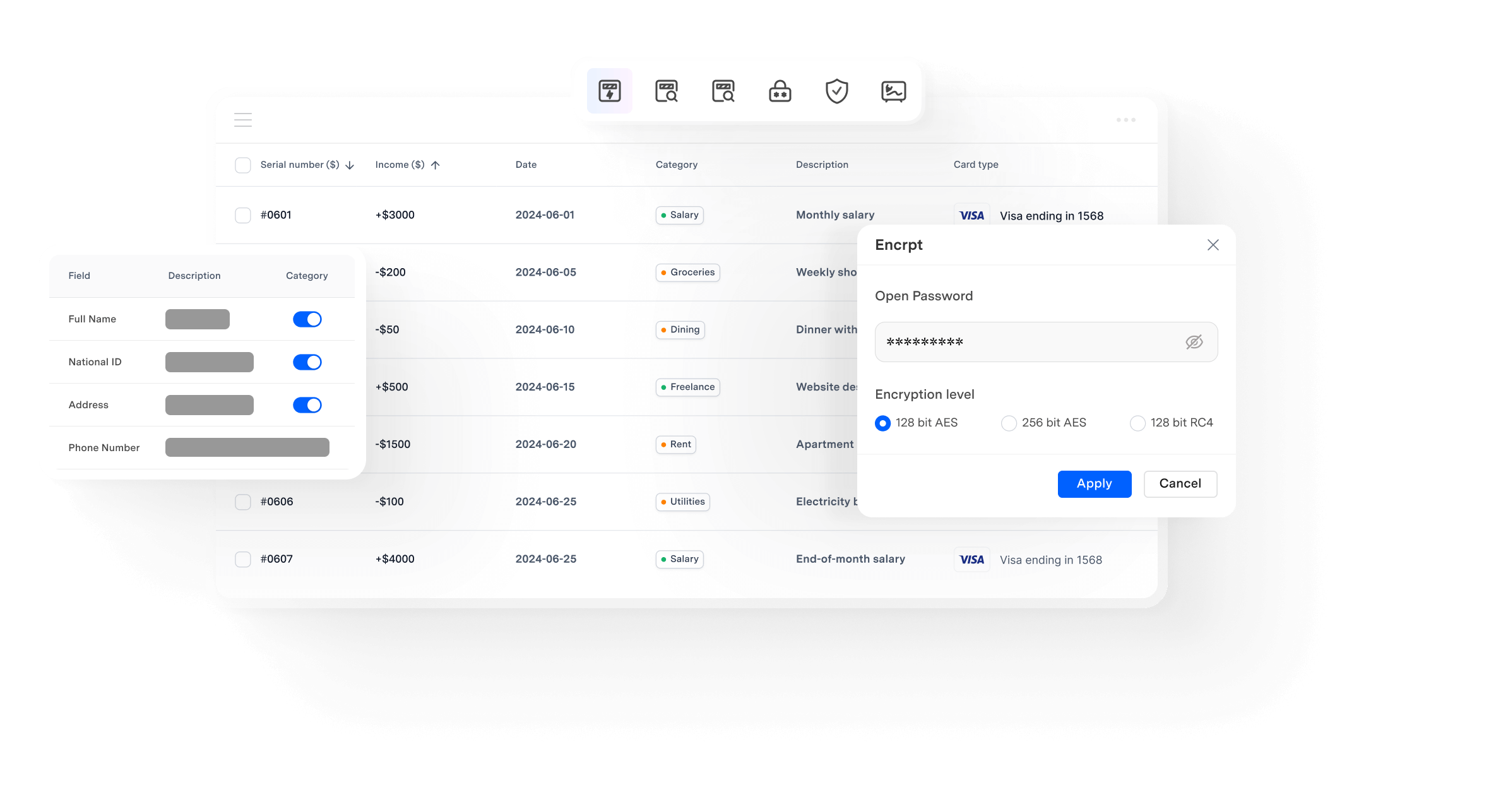
 Encrypt PDFs Securely – Add passwords to prevent viewing, printing, or editing without authorization.
 Smart PDF Redaction – Auto-detect and redact sensitive data instantly, or manually redact selected areas and bulk-searched text to permanently remove the content.
 Sign & Watermark PDFs – Easily add signatures and watermarks for authenticity and branding.


Create PDF from any file in high quality.
 From Files and Links – Turn Word documents, images, webpages, and more into high-quality PDFs.
Batch PDF Creation – Generate multiple PDFs from different file types in one go.
 Scan to PDF – Scan documents, deskew, and produce clear PDFs instantly.


Get PDFs done fast and smarter on macOS.
Edit PDFs on Mac with ease.
 Edit text your way – use custom fonts and personalized styles, a hassle-free alternative to Preview.
 Work with images easily – replace or extract images in PDF on Mac with simple drag-and-drop actions.
 Add smart links – insert hyperlinks or link directly to specific pages within your document.

Convert PDFs on Mac without losing quality.
 Convert with one click – turn PDFs into Word, Excel, PowerPoint, EPUB, HTML, RTF, or images on Mac.
 Create high-quality PDFs from documents, images, or web pages easily on Mac.
 Boost your workflow by batch converting PDFs into multiple file formats quickly and efficiently.

Read, translate, and edit PDFs faster with AI on Mac.
 Chat with PDFs and switch between AI models like GPT-4o, GPT-4o mini, DeepSeek, Gemini 1.5 Pro for the best results.
 Polish your PDFs with Grammar check, rewrite, or translations using Fast or Pro translate modes.
 Summarize PDFs instantly with AI Knowledge Cards, or convert PDFs into notes, mind maps, or presentations.

OCR PDFs on Mac – accurate, fast, and multilingual.
 Recognize text with precision – extract content from scanned PDFs in 27 languages.
 Batch convert with ease – turn multiple scanned PDFs into searchable, editable files at once.
 Clean and edit-ready – auto-deskew and enhance scans, then convert them into editable Word documents with OCR.

Annotate PDFs on Mac with style and precision.
 Mark up with ease – highlight, underline, strikethrough, or add shapes and sticky notes to your PDFs.
 Make it yours – enhance annotations with custom stamps, colorful sticker packs, and personalized fonts and colors.
 Measure accurately – calculate lengths, areas, and perimeters directly on PDF drawings in seconds.

Batch PDF processing made smarter on Mac.
 Do more at once – bulk convert, OCR, compress, merge, protect, and print PDFs seamlessly on Mac.
 Translate in bulk – AI-powered translations across languages, fast and accurate.
 Edit efficiently – batch crop and adjust margins, backgrounds, watermarks, headers, footers, and Bates numbers in PDFs.

Reduce PDF size on Mac without losing quality.
 Compress faster – shrink PDFs to KB in seconds, quicker than free online tools.
 No limits – reduce file size flexibly with no restrictions.
 Save time – batch compress multiple PDFs at once for maximum efficiency.

Create, send, and sign PDFs on Mac with security and legality.
 Sign with confidence – fill and sign PDFs securely using legally binding e-signatures.
 Streamline workflows – create e-signable PDFs, send them to multiple recipients, and track signatures in real time.
 Flexible signing options – add electronic signatures in image, text, or handwritten form using your mouse or trackpad.

Create a fillable PDF or complete forms on Mac.
 One-click form creation – generate fillable and editable PDF forms instantly.
 Add interactive fields – insert text boxes, checkboxes, radio buttons, and dropdown menus with ease.
 Smart form handling – recognize, fill in, and extract data from PDF forms on Mac.

Protect and redact PDFs effortlessly on Mac.
 Secure your files – password-protect PDFs to restrict viewing, printing, or editing with ease.
 Redact in one click – select areas or search terms to instantly black out all matching text.
 Smart Redact your PDF – automatically detect and redact sensitive data like names or IDs for compliance.
What Users and Media Say About PDFelement

The Ultimate All-in-one PDF Solution
"PDFelement has all of the same superb features and functions that the
competition offers - and
in some cases, even more - while also
running smoother and costing less. For this reason, it's arguably the best
software you can get
if you need to work with PDFs. "

David M.
IT Manager • Verified Switcher
Saved Our Company $4,000/yr by Switching from Foxit
"Foxit's sudden price increases pushed us to look for alternatives. PDFelement handled 100% of our enterprise forms and signatures with zero learning curve for our team."

Phil Barnes
CEO/Managing Director
PDFelement's Cross-Platform Approach to Optimize Paperless Busines
"Long-time heavy user of Adobe, disappointed with service - prompted search
for
replacement...PDFelement, is there when I need it, it
plays well with my other software."

Wondershare PDFelement for Mac: Rich Features with Superior User Experience
"Wondershare PDFelement comes to the rescue like a breath of fresh air,
offering rich and
advanced features on an intuitive interface
without the high price tag that many premium PDF editors command. "

Bogdan
Project Manager
Adopted PDFelement for Effective Document Management
"PDFelement is very intuitive, powerful and very accessible when it comes to
price. It is all
great that the free version lets you use
all the features, this makes it very easy to determine if PDFelement is
right for you or your
company."

"Wondershare PDFelement comes to the rescue like a breath of fresh air,
offering rich and
advanced features on an intuitive interface
without the high price tag that many premium PDF editors command. "

"Wondershare's PDFelement is a full-featured PDF editor equipped with an OCR
feature to
recognize scanned text, along with a
comprehensive array of standard tools. PDFelement effortlessly handles all
types of files, from
scanned documents to sizable files and
image-rich PDFs, without any issues in opening them."

"If you want a feature-rich PDF reader for your macOS device, PDFelement is
your prime choice.
This application encompasses a range of
robust features, including text editing, image integration, hyperlink
incorporation, OCR
technology, text highlighting, and a
user-friendly interface."

"PDFelement by Wondershare is a cutting-edge PDF editing software designed
for both Windows and
Mac platforms, enabling seamless
editing, annotation, conversion, merging, and safeguarding of PDF
documents."

Ready to Experience a Better PDF Alternative?
Upgrade your document workflow with fast editing, smart AI tools, and seamless cross-platform sync.
✓ No Credit Card Required
•
✓ 100% Clean & Safe Download