Wondershare PDFelement
The Best PDF Measure Tool
A measuring tool, helping you measure the distance,
perimeter, and area with ease.






All-in-one PDF annotation toolkit – from
quick notes to detailed markups.
Measure distance, area & perimeter in PDFs – accurate & easy.
 Instant measurements – calculate distance, perimeter, and area directly in your PDF without printing or switching apps.
 Circle tools – measure circumference and area in a single step.
 Totals made simple – select multiple items of the same type with a set scale and get the total instantly.
The scenarios of PDF measurement.

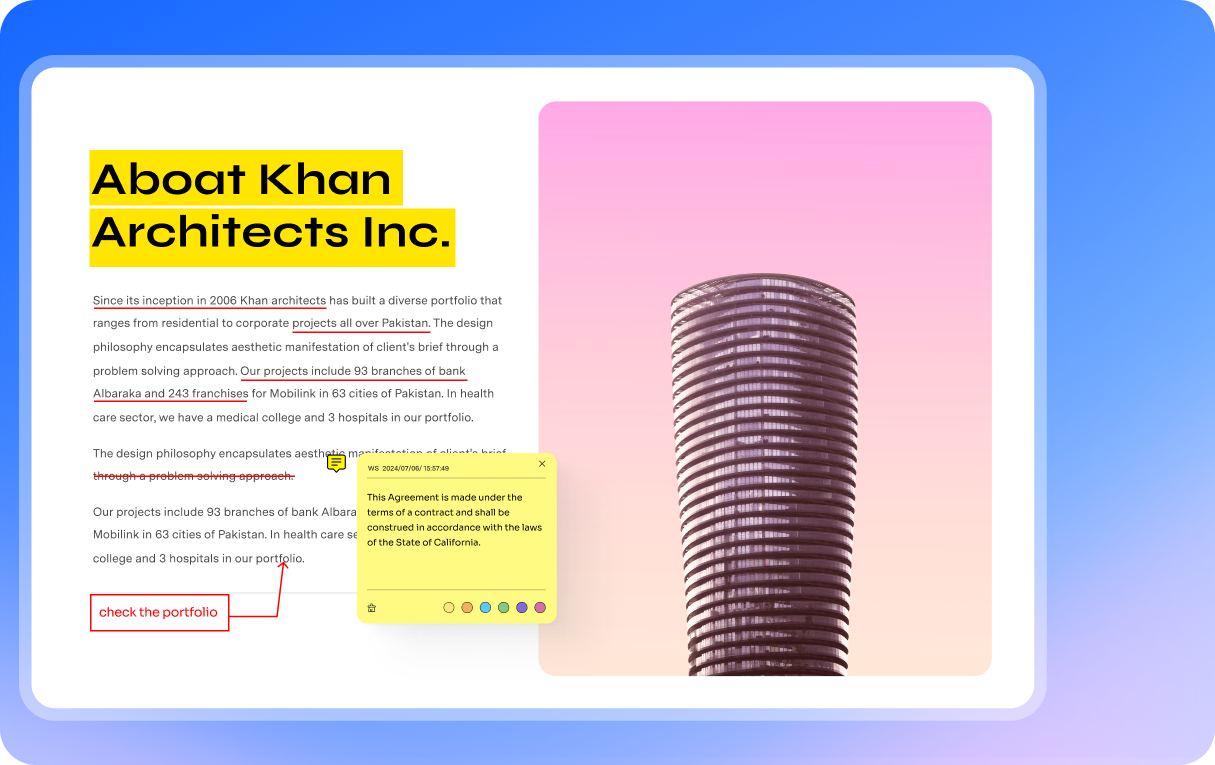
Highlight, underline, and add text to PDFs effortlessly.
 Highlight & underline in PDFs – emphasize key text with your choice of colors.
 Strikethrough & add text box – fix errors or add notes directly in the PDF.
 Save custom colors – keep your favorite highlight or text colors as defaults for consistent use.
Why need to highlight text in PDF?

Comment on PDF with sticky notes and callouts.
 Sticky notes with styles – add notes in custom designs and mark feedback with statuses like Accepted or Rejected for smooth collaboration.
 Text callouts for clarity – pinpoint exact content with clear callouts directly in the PDF.
Popular styles to make your comments stand out.

100+ shapes, arrows & stickers – annotate PDFs your way.
 100+ ready-to-use elements – choose from arrows, callouts, brackets, math signs, and decorative stickers for any PDF.
 Organize libraries – browse sticker libraries by categories like Education, Office, Technology, Weather, Holidays, and more.
 Style your way – adjust colors, sizes, and thickness to fit your project or brand style.
Advantages to add shapes to PDF.

Stamp your PDFs quickly and professionally.
 30+ professional stamps – pre-designed options for approvals, signatures, dates, and document tracking.
 Custom uploads – add your own stamp designs or logos for branding and personalization.
 Cross-device sync – access your custom stamps on Mac, Windows, iOS, and Android for a consistent workflow.
Quick way to add PDF stamp.

Manage PDF annotations easily – export, print, and share with flexibility.
 Comment summary export – create a report of all annotations with author, type, and page location for team reviews.
 Flexible printing – choose to print PDFs with or without annotations.
 Notes-only export – generate a PDF with only the pages containing notes for focused discussions.
Manage PDF Annotations with Advanced Organization Tools
What Users and Media Say About PDFelement





The Ultimate All-in-one PDF Solution

Streamlined Workflow by Getting 80% Faster Results with PDFelement

PDFelement opens up the world of PDFs to an online and remote workplace

PDFelement's Cross-Platform Approach to Optimize Paperless Busines

Wondershare PDFelement for Mac: Rich Features with Superior User Experience

Adopted PDFelement for Effective Document Management


How to annotate & markup PDFs in 3 easy steps?


The best PDF annotator for everyone.
FAQs about PDF highlighter app.
Adding notes to a PDF is simple with PDFelement:
- Open your PDF in PDFelement.
- Go to the Comment tab on the top menu.
- Select Note and click anywhere on the page to place it.
- Type your note in the box that appears.
- Save the file to keep your annotations.
PDF annotation means adding extra information to a PDF without changing the original text. This can include highlights, underlines, sticky notes, shapes, stamps, or drawings. It’s useful for study, collaboration, or reviews.
With PDFelement, you can annotate PDF documents easily on desktop or online, using tools like comments, sticker libraries, and measurement features.
When working with PDFs, it’s important to know whether you need to edit the content or simply annotate it.
- Edit PDF means changing the original content, such as rewriting text, replacing images, or rearranging pages.
- Annotate PDF means adding extra notes without altering the original file, such as highlights, sticky notes, stamps, or shapes.
With PDFelement, you can do both—edit PDFs like a Word file and annotate with professional tools for collaboration and review.



simplited by AI.
Fast, easy, and affordable PDF editor. Convert, edit, sign PDFs, and more.
Education
Annotating student papers and research is faster with PDFelement. I highlight, comment, and even use sticker libraries to mark progress, making feedback fun, clear, and easy to understand.
- Laura, University Lecturer
IT Service
We review technical manuals daily, and PDFelement’s annotation tools save hours. Adding callouts, highlights, and stamps helps our team collaborate clearly without endless email threads.
- David, IT Service Manager
Healthcare
PDFelement makes reviewing medical reports easier. I use sticky notes for doctor comments and highlights for critical data, ensuring patient records remain accurate and securely annotated.
- Dr. Mehta, Clinical Data Specialist